Style
Change how the ECU data menu looks.
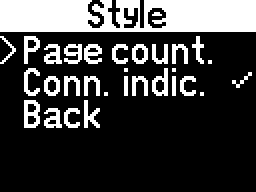
- - display the page's number
- - display the spinning bar in the top-right corner to indicate the connection to the module(s)
note
Selecting an option will enable or disable it.
Bar
If the page has a title, or the page counter is enabled, or the connection indicator is enabled, an additional bar will be created at the top/bottom with these elements.
Otherwise, the bar will not appear.
Aligned units, Bar position
Aligning measurement units and selecting the bar's position can be set individually for every page in the configuration file.
Check out the Configuration editor chapter for more information.