Installation
To install the CANFIS module, you will need an 8mm and Torx 25 screwdriver.
- Remove the fuse cover on the left side of the dashboard.
- Unscrew three 8mm bolts: one under the fuse cover, and two at the bottom, on the left and right sides of the lower dashboard cover (the one with the headlight switch and footwell lighting switch [depending on the equipment]).
- Remove the dashboard cover, which is attached with clips. For ease of work, you can unplug the diagnostic socket, headlight switch, and optionally the footwell lighting plug, and set the cover aside.
- Use the Torx 25 screwdriver to unscrew the footwell vent nozzle (the screw is located approximately in the middle). Remove and set the nozzle aside.
- On the right side, towards the top, you will find the Gateway module and a red plug (2003-2008) or a black plug (2008-2012) leading to it. Carefully, without pulling forcefully, disconnect the plug from the Gateway module and connect it to the CANFIS module. Connect the plug coming from the CANFIS module to the Gateway module.
- Position the CANFIS module loosely so that the cable is not strained.
- Assemble everything in the reverse order.
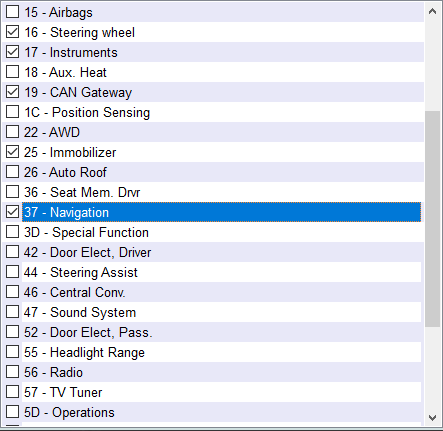
Gateway installation list
Ensure that module 37 - Navigation is enabled in the Gateway installation list.